CP77-External-Radio-red4ext
by DrJackieBright
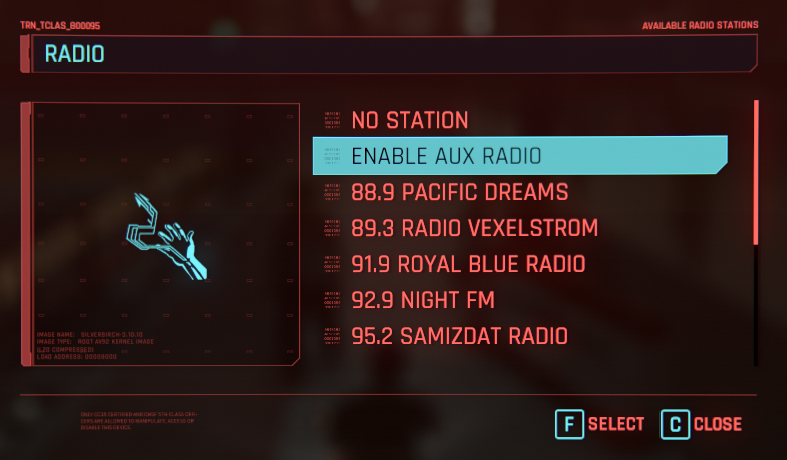
[ Cyberpunk 2077 External Radio ] This is the simplest and most versatile solution I could find for a radio replacer. [ How it works ]
- The redscript script watches for the player to enter or exit the front left seat
- The redscript calls a function in red4ext that tells the windows global media controls to play or pause
[ Installation ]
- Install redscript, RED4ext, and TweakXL
- Install cybercmd if you use REDmod
- Use Vortex or unzip in your game directory
[ Tested Players ] Player Supported Plugin required --------- ----------- ----------------- Spotify Yes No VLC Yes vlc-win10smtc Winamp Yes gen smtc Youtube No For Spotify, you may need to enable "Show desktop overlay when using media keys" in the settings Note: a more comprehensive list of SMTC compatible players can be found here [ How to know if your player is supported ] If your player appears in the windows system media transport controls (SMTC) it is supported This can be seen by changing the volume and seeing if the player shows up If your player is not supported, it will not show up …
Summary adapted from the project README (MIT licensed). Full docs at the source link above.
Are you the author?
This is a metadata page; your files stay wherever you publish them. Claim it to get full-speed direct hosting for your users, download stats, and complete control: edit, update, delete, it stays yours.
Requires signing in with Discord. Questions first? Message the team from your dashboard.
Comments (0)
Sign in to comment, vote, or submit screenshots.
No comments yet.